


How do I check my order history?
To view your eSIMNum order history:
-
Visit the eSIMNum website and log in to your account.
-
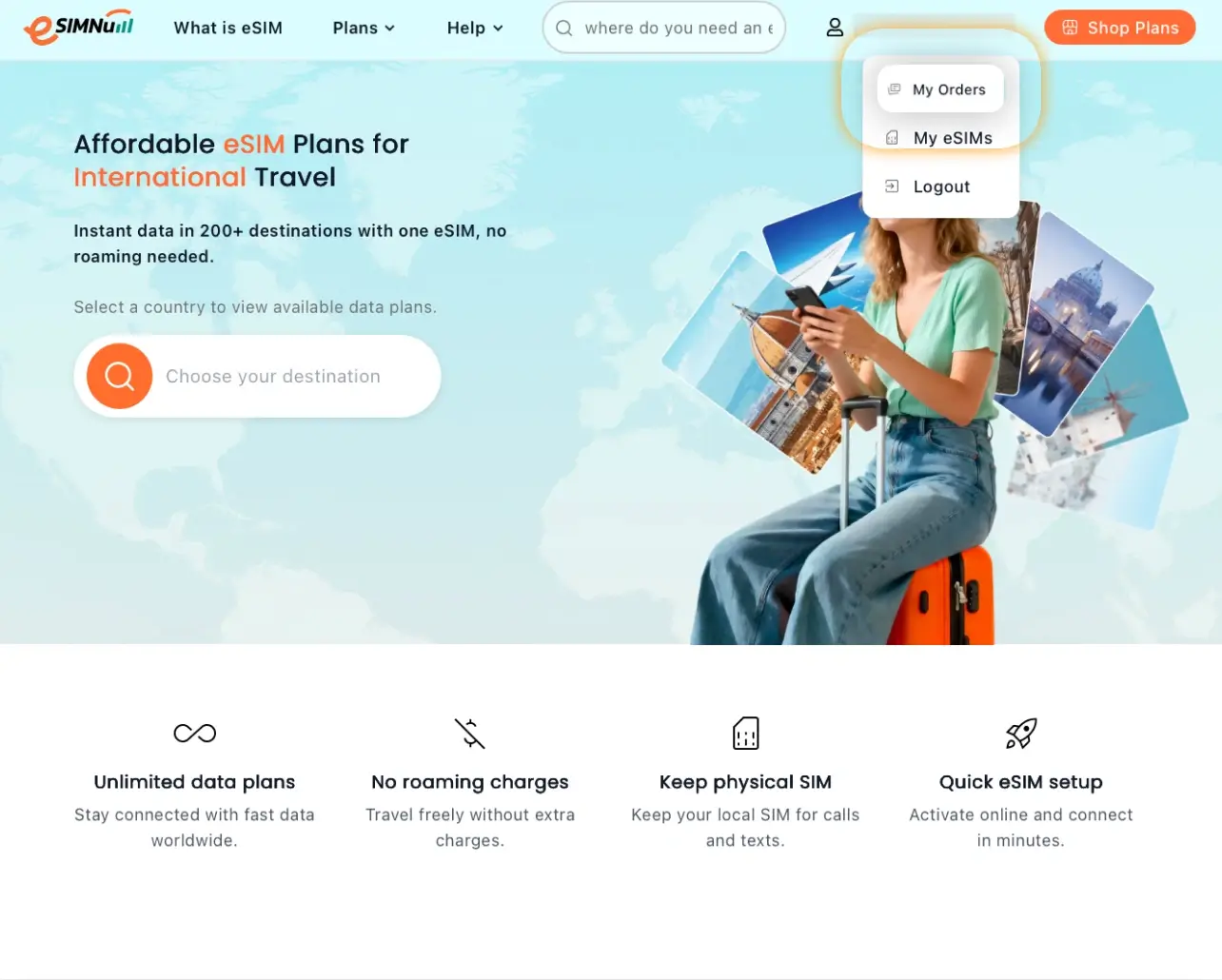
Go to My Orders.
-
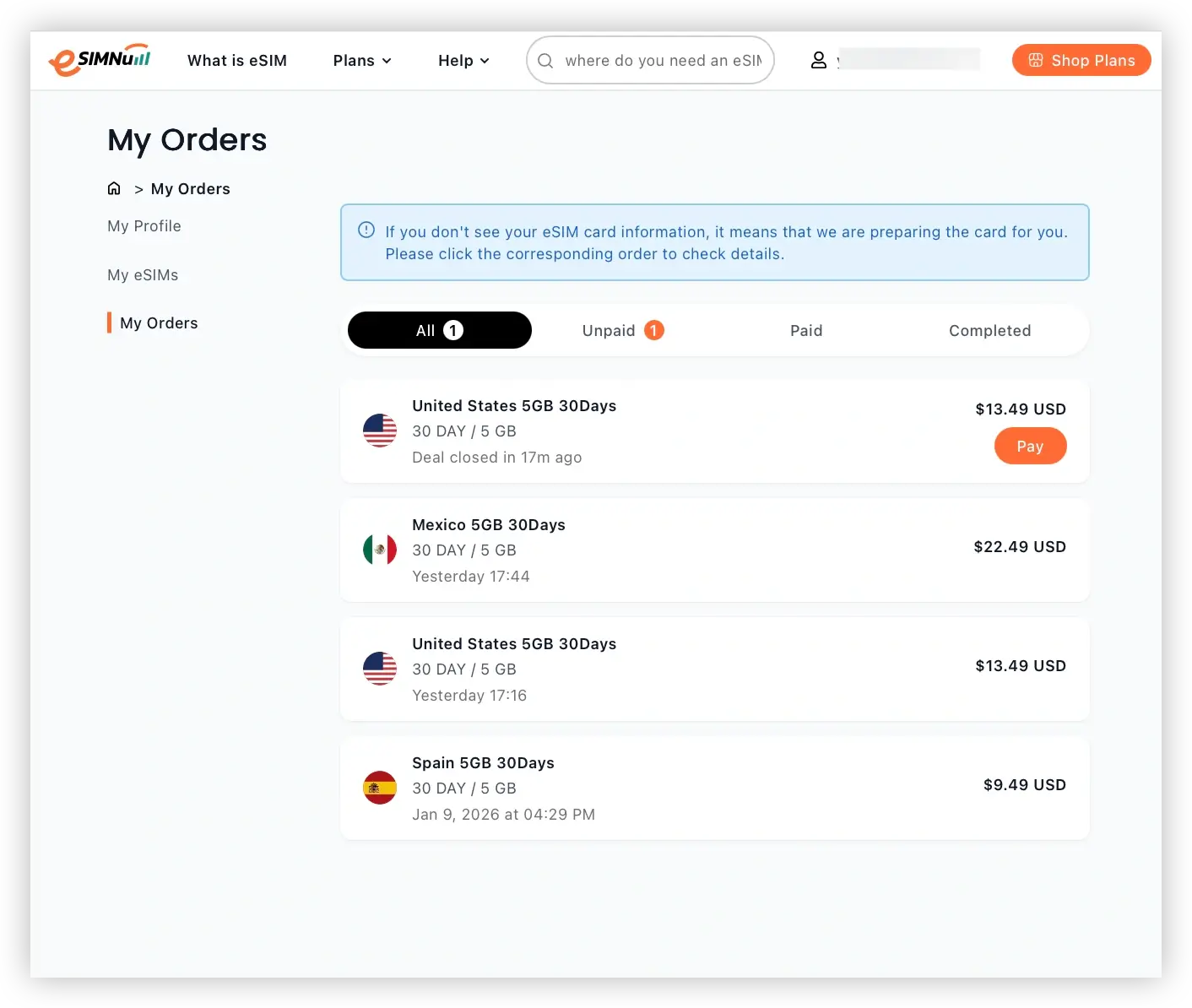
You’ll see all your orders, including Unpaid, Paid, and Completed orders, in one place.
To view your eSIMNum order history:
Visit the eSIMNum website and log in to your account.
Go to My Orders.
You’ll see all your orders, including Unpaid, Paid, and Completed orders, in one place.



