


How do I check if my Android device supports eSIM?
Whether an Android device supports eSIM depends on the manufacturer, model, and carrier. Some devices are listed as eSIM-capable, but certain regions or carriers may restrict this feature.
The most reliable way to confirm eSIM compatibility is by checking with your device manufacturer, vendor, or primary carrier.
Check eSIM support on popular Android devices
Samsung Galaxy
-
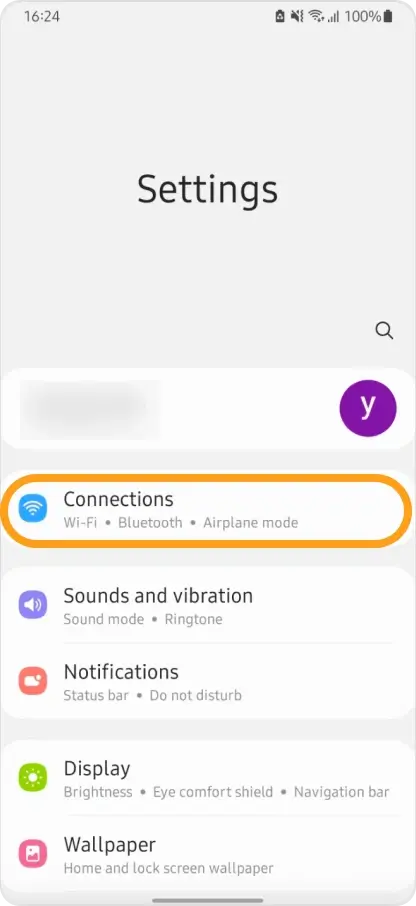
Open Settings → Connections.
-
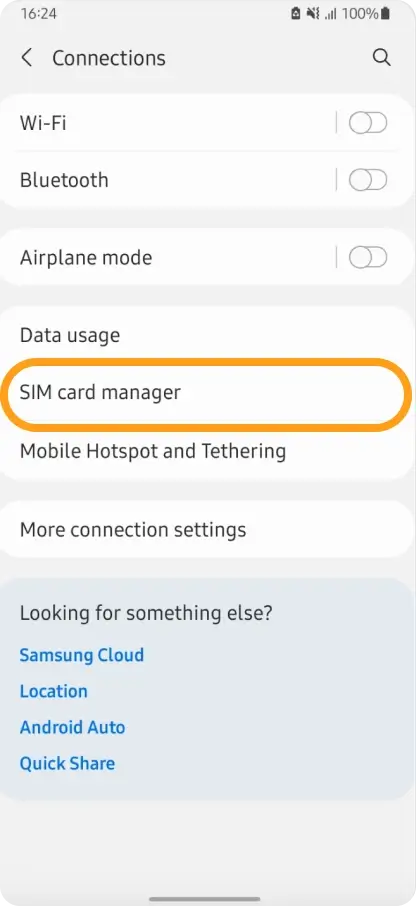
Tap SIM Manager.
-
If Add eSIM is available, your device likely supports eSIM.
Google Pixel
-
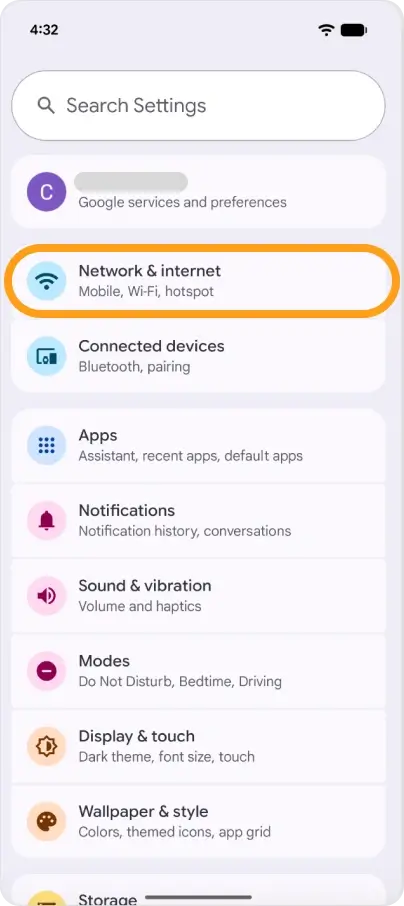
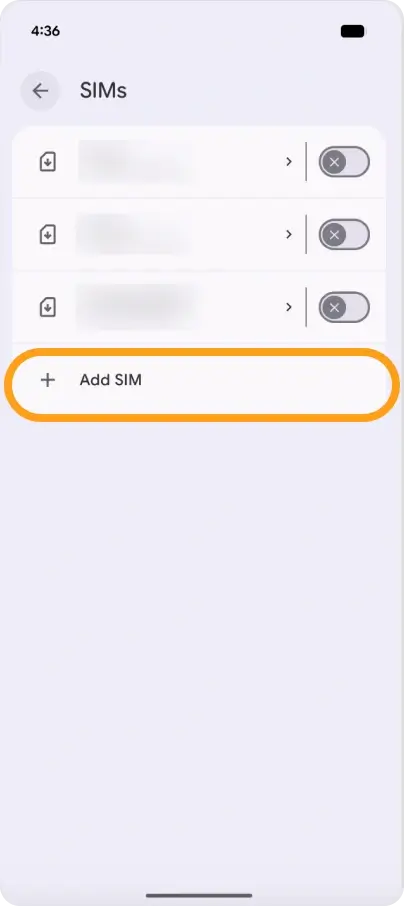
Open Settings → Network & Internet.
-
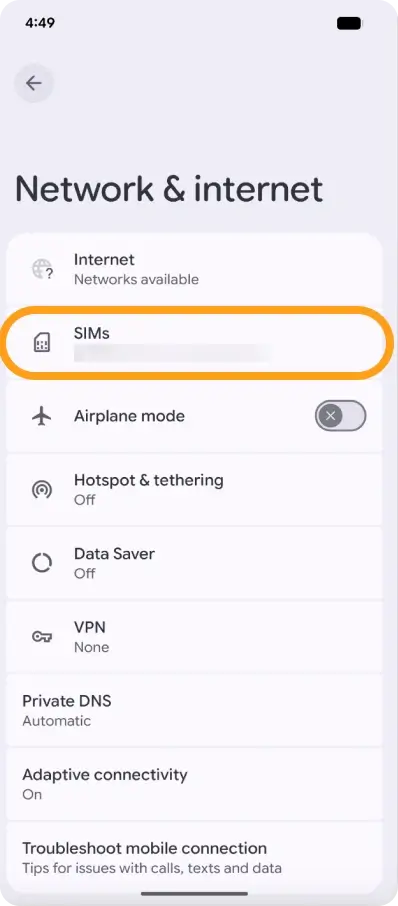
Tap the SIMs.
-
If you see ”+ Add SIM”, your Pixel is eSIM-capable.
Other Android devices
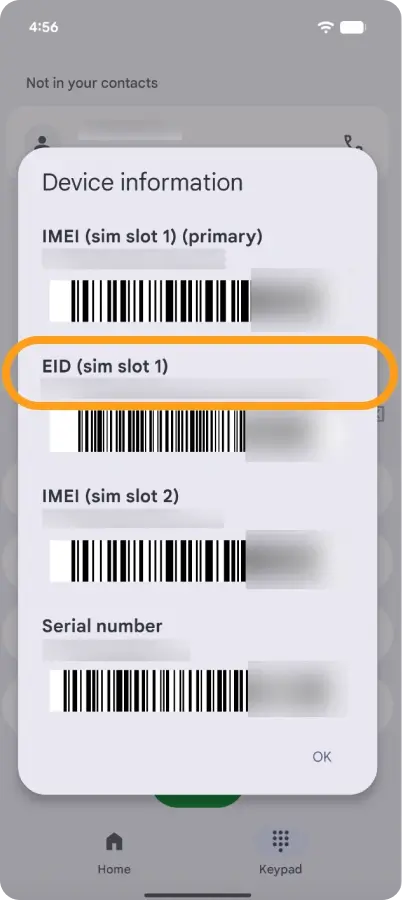
- Dial #06# and press the call button.
- If your device shows an EID (eSIM ID), it supports eSIM technology.
Check if your Android device is carrier-unlocked
To use an eSIM from a different carrier, your device must be unlocked:
- Remove your current SIM card.
- Insert a SIM card from another carrier.
- Check if the carrier name appears on your home screen.
- Make a call:
- If the call connects, your phone is unlocked.
- If it does not connect, your phone is still locked to the original carrier.
For any questions, feel free to contact our support team, and we’ll be happy to help.



