


How to install eSIM on Android manually?
Before installing, make sure of your Android device:
- Supports eSIM and is network unlocked (see How do I check if my Android device supports eSIM?)
- Has a stable internet connection, preferably Wi-Fi, to ensure the eSIM downloads properly
Step-by-step guide to manually add an eSIM on Android
-
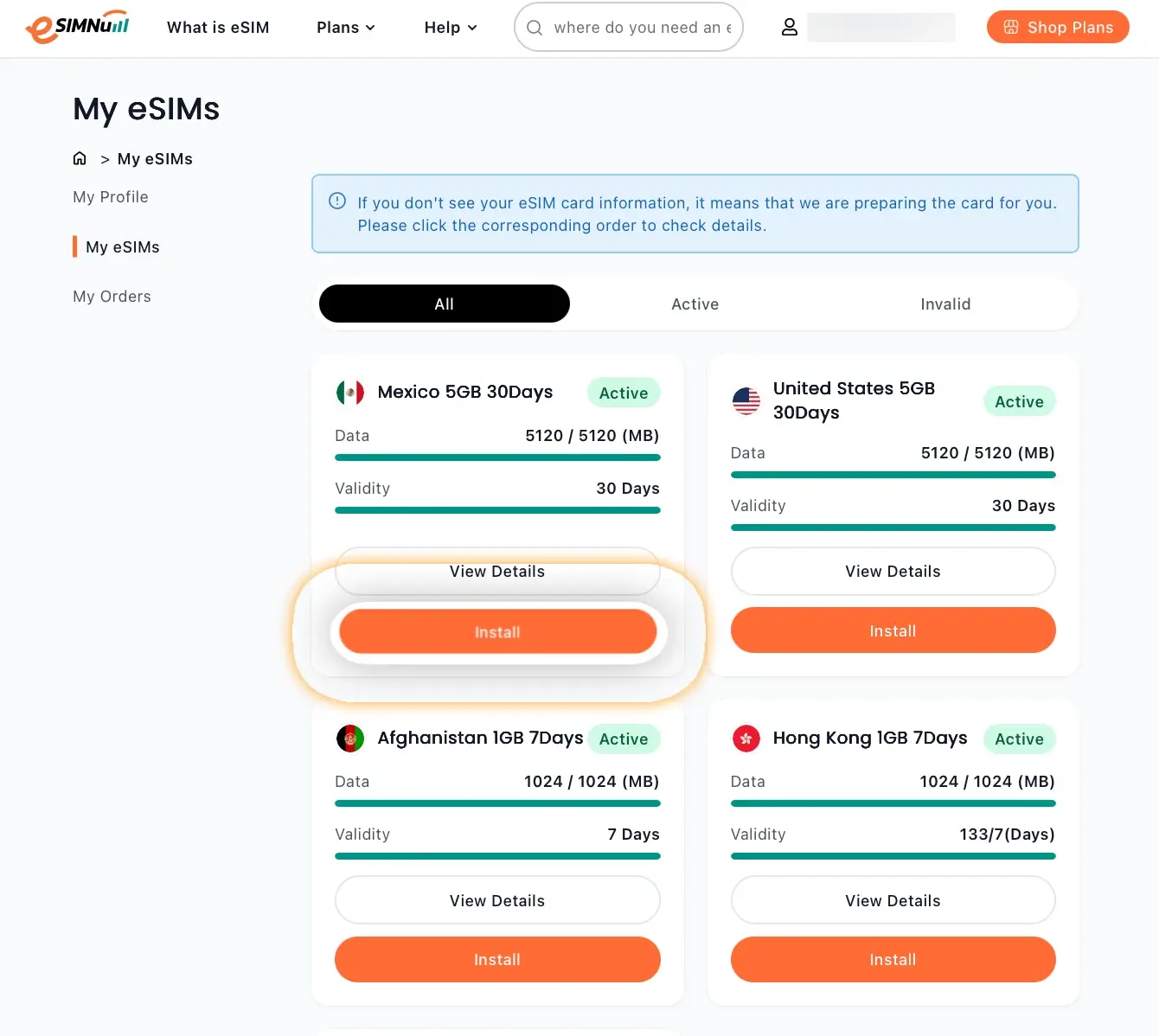
On the eSIMNum website, go to My eSIM → ➕Install eSIM.

-
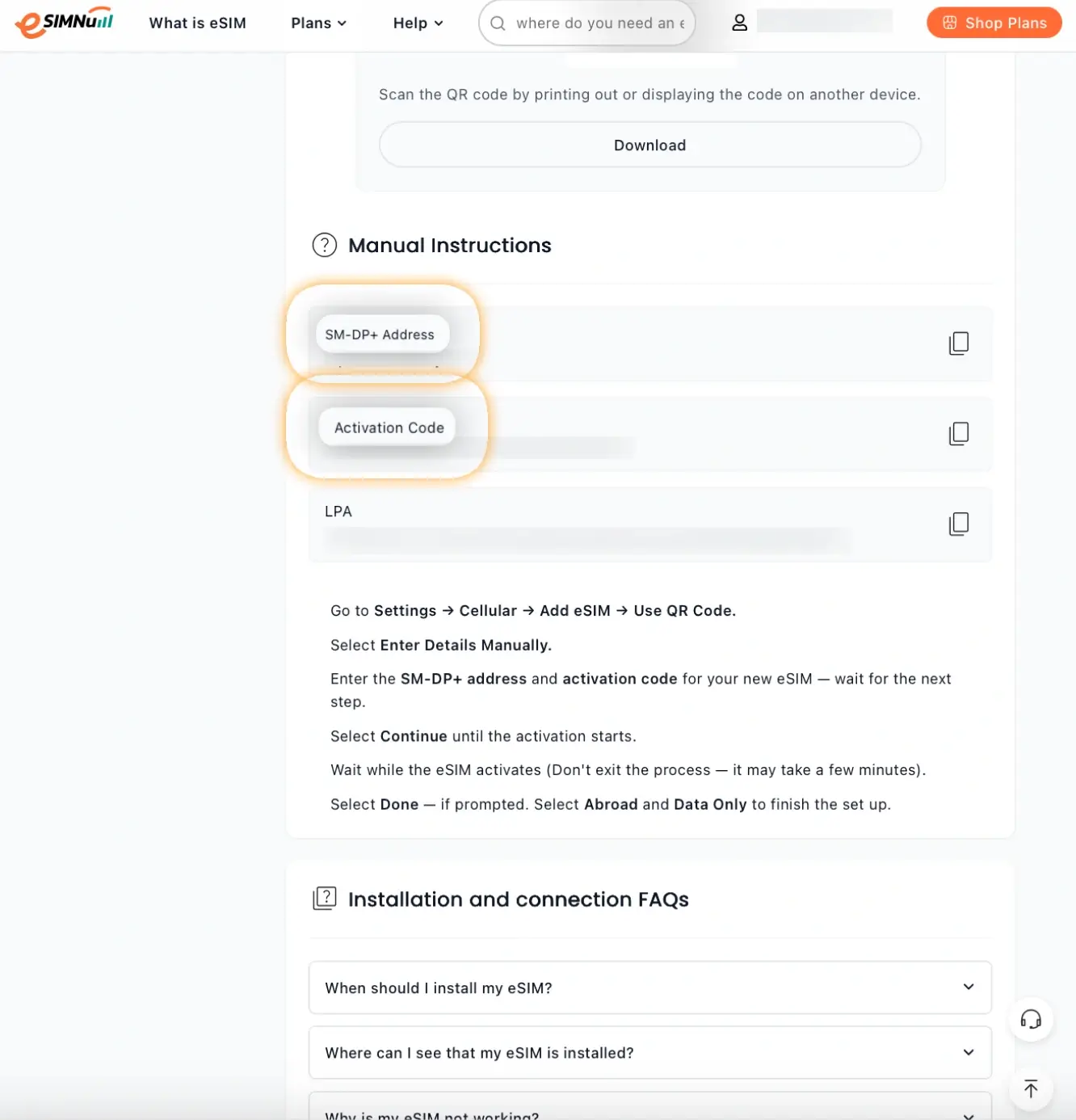
Copy the SM-DP+ Address and Activation Code.
-
Open Settings on your Android device.
-
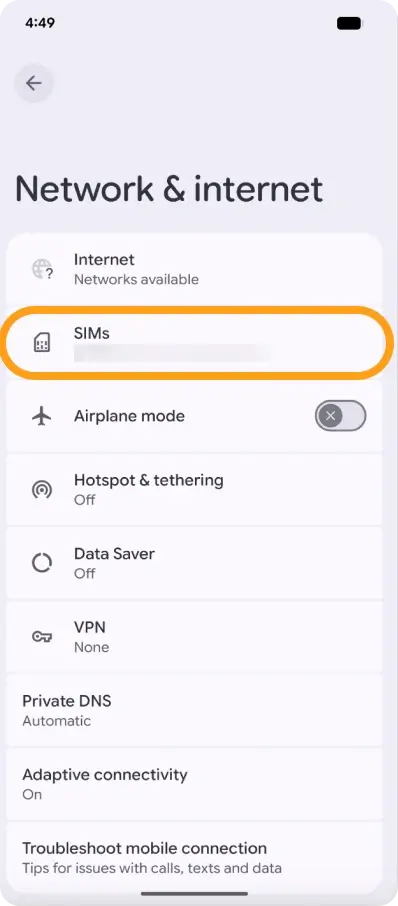
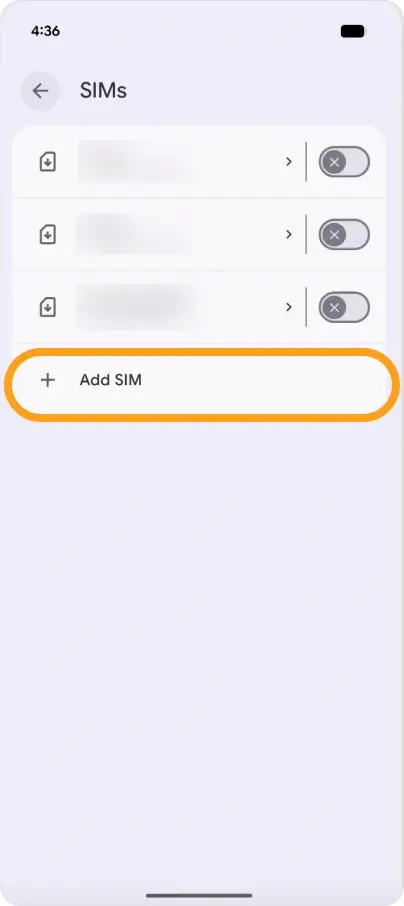
Tap Network & Internet → + Add Mobile Network (or Add eSIM).
-
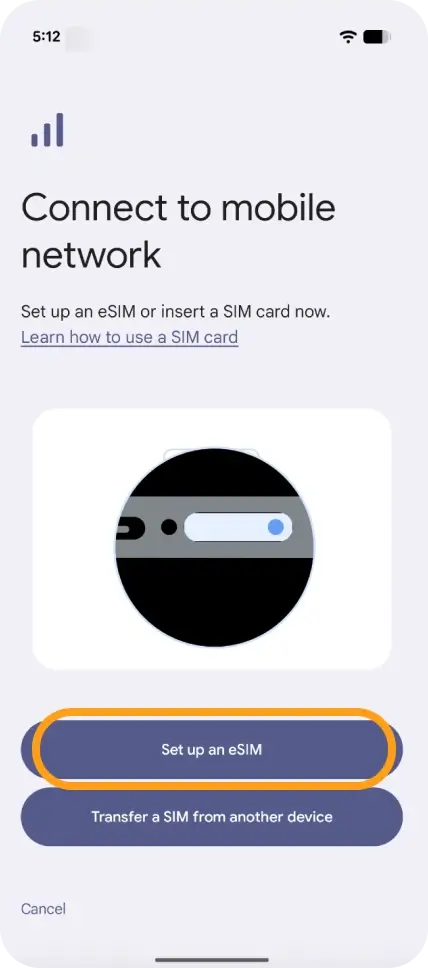
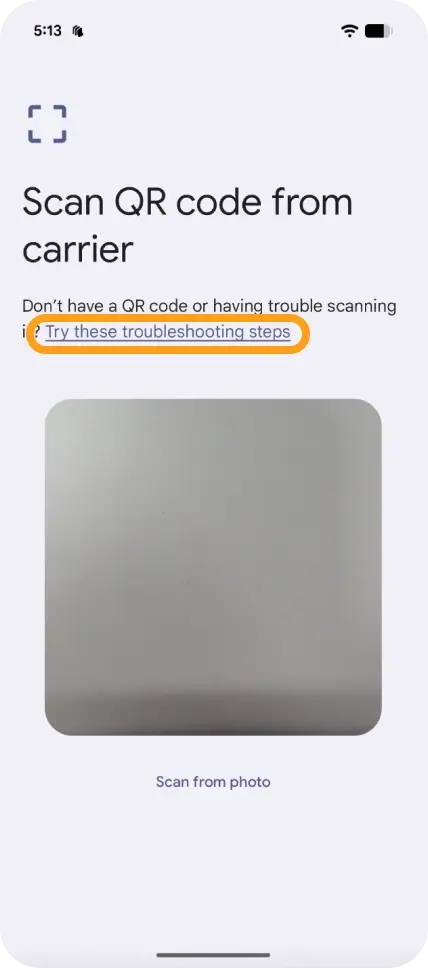
Select Set up an eSIM and then tap Try these troubleshooting steps.
-
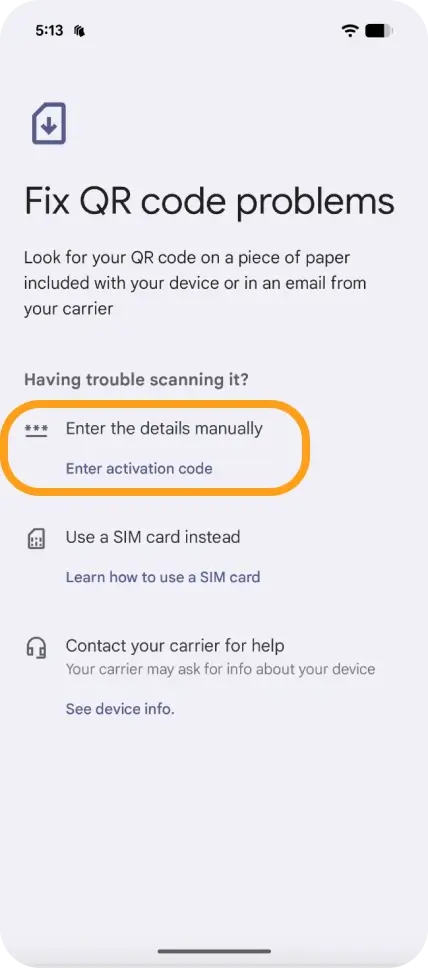
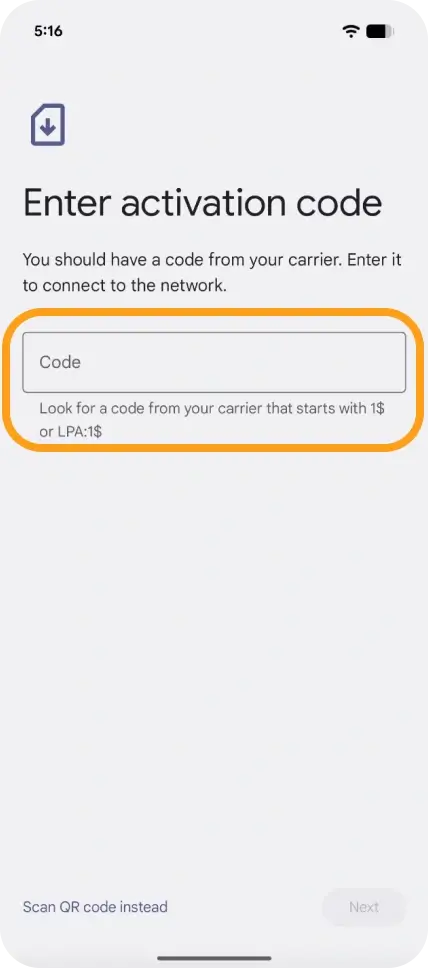
Choose Enter code manually and input the SM-DP+ Address and Activation Code.
-
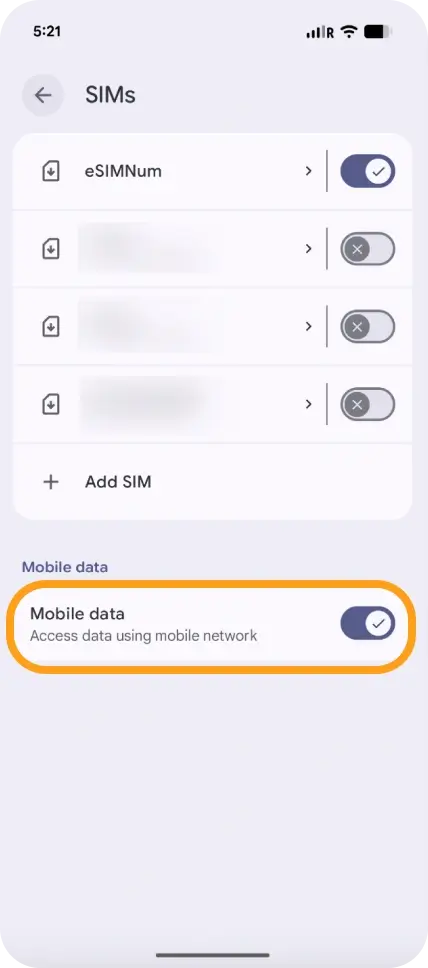
Go back to Mobile Network and turn on your eSIM.
-
Enable Mobile Data.
-
Enable Data Roaming if you are traveling abroad (make sure to turn off your primary line to avoid roaming charges).
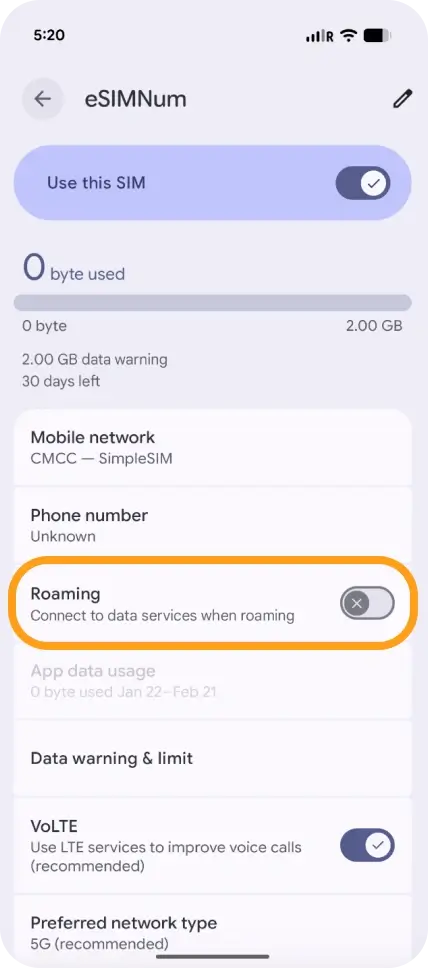
Your eSIM should now be fully installed and ready for use.
If you encounter any issues during setup, feel free to contact our support team, and we’ll be happy to assist.



