


How can I remove an eSIM from my iOS device?
You can remove an eSIMNum profile from your iPhone or iPad at any time, as long as you no longer need the plan or the data package has expired. Removing an eSIM will not affect your device or your physical SIM.
When is it safe to remove an eSIM?
You may delete your eSIMNum plan from your device when:
- Your data plan has expired and you no longer need the eSIM.
- You do not plan to use this eSIM again, as many data plans cannot be reused once deleted.
- You are installing a new eSIM for the same country or region, and want to avoid confusion between multiple profiles.
Please note that once an eSIM is removed, it cannot be reinstalled unless the plan specifically supports reactivation.
How to remove an eSIM on iOS
Follow these steps on your iPhone or iPad:
-
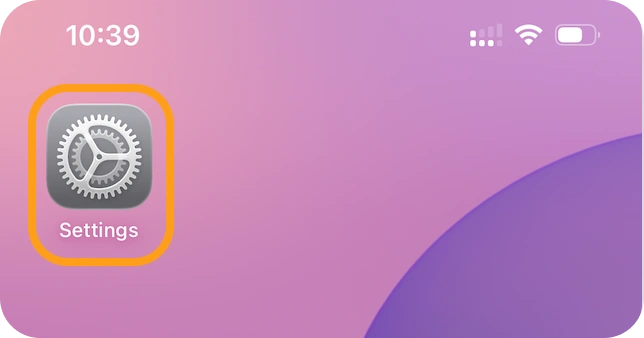
Open Settings.
-
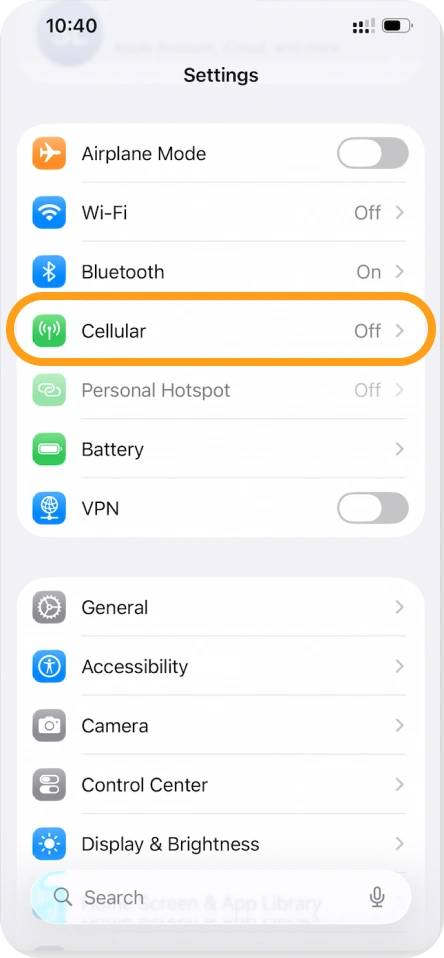
Tap Cellular / Mobile Data.
-
Select the eSIMNum plan you want to remove.
-
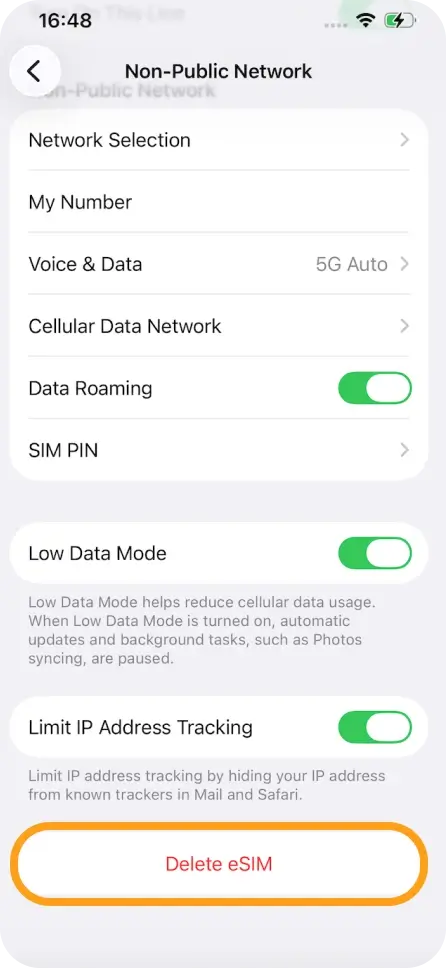
Tap Remove eSIM or Delete Mobile Plan (the wording may vary by device).
-
Confirm the removal.
Your eSIM profile will be permanently deleted from the device.
If you have questions about removing an eSIM or need help installing a new one, the eSIMNum Support Team is here to assist you.



