


How do I set a data cap on my Android device?
Android devices allow you to set a mobile data limit so you can better control how much data you use. You can choose your billing cycle, set a warning, and even set a hard limit that automatically turns off mobile data once reached.
For Samsung Galaxy devices:
-
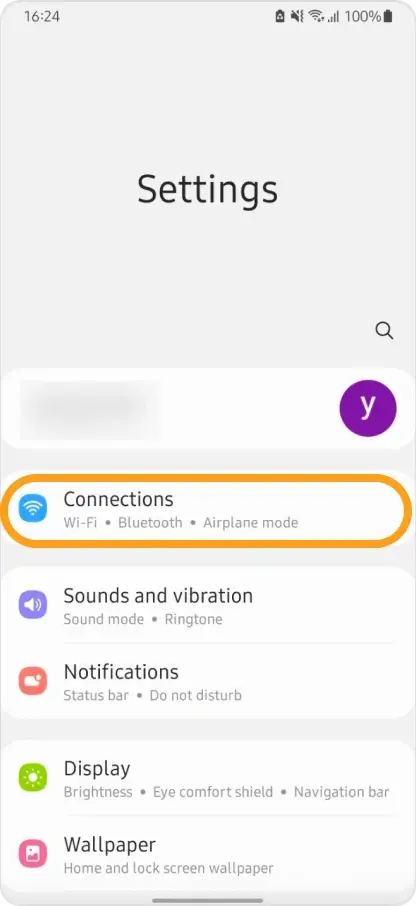
Open Settings → Connections.
-
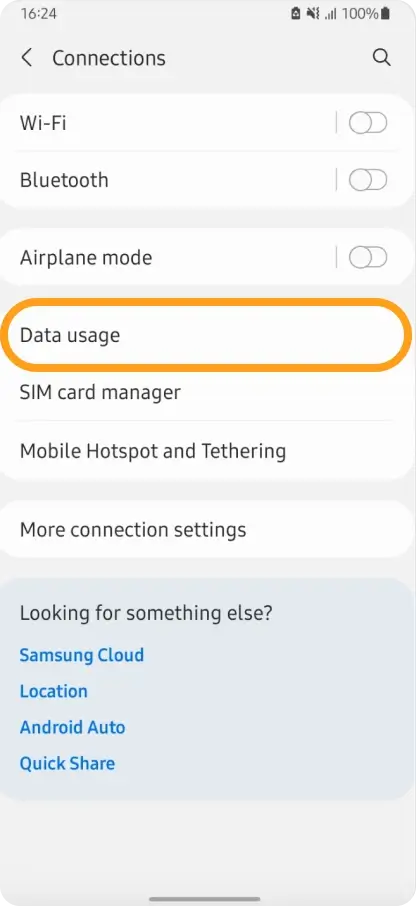
Tap Data Usage.
-
Ensure Mobile Data is turned ON.
-
Tap Billing cycle and data warning.
-
Tap Start billing cycle and set the date based on when you begin using your eSIM.
-
Enable Set data warning and enter a warning amount (e.g., set 8 GB if your plan includes 10 GB).
-
Enable Set data limit and enter your hard limit in GB.
- Your device will automatically turn off mobile data when this limit is reached.
For Google Pixel devices:
-
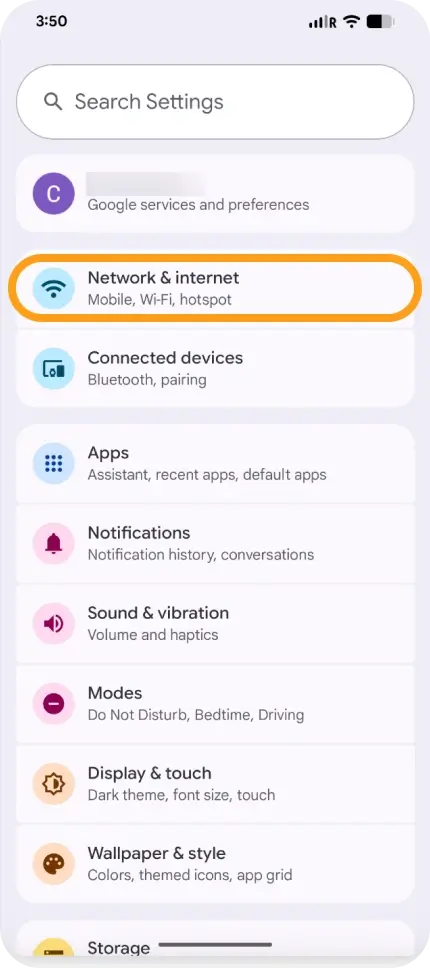
Open Settings → Network & Internet.
-
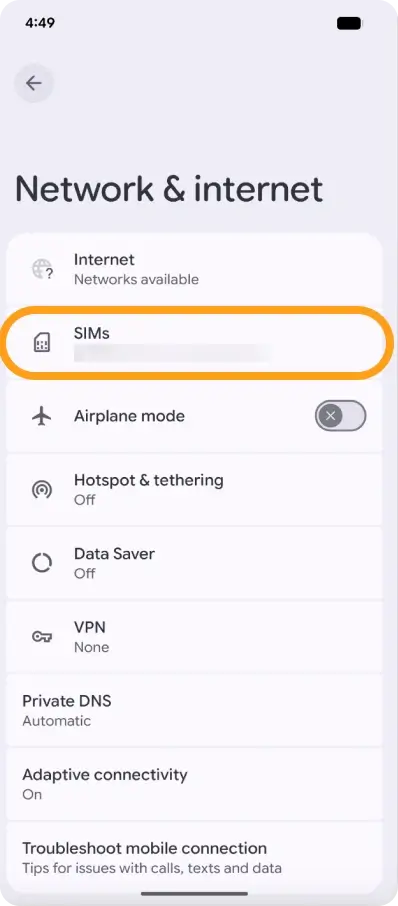
Tap SIMs.
-
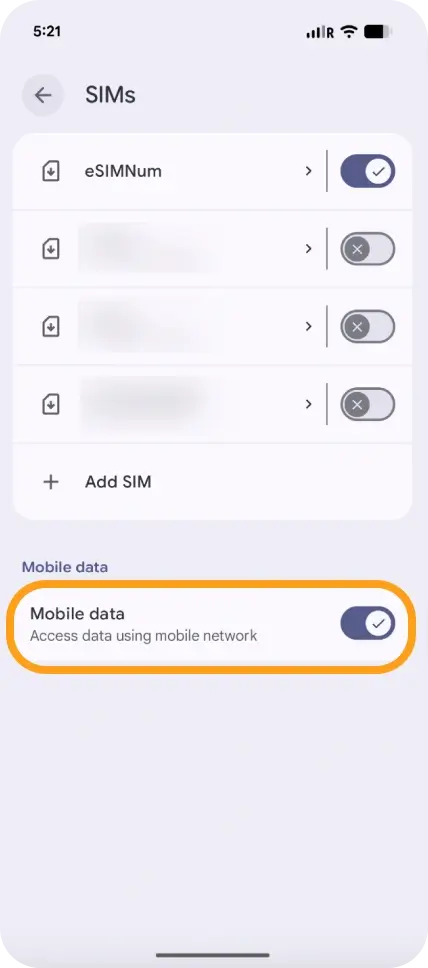
Ensure Mobile Data is ON.
-
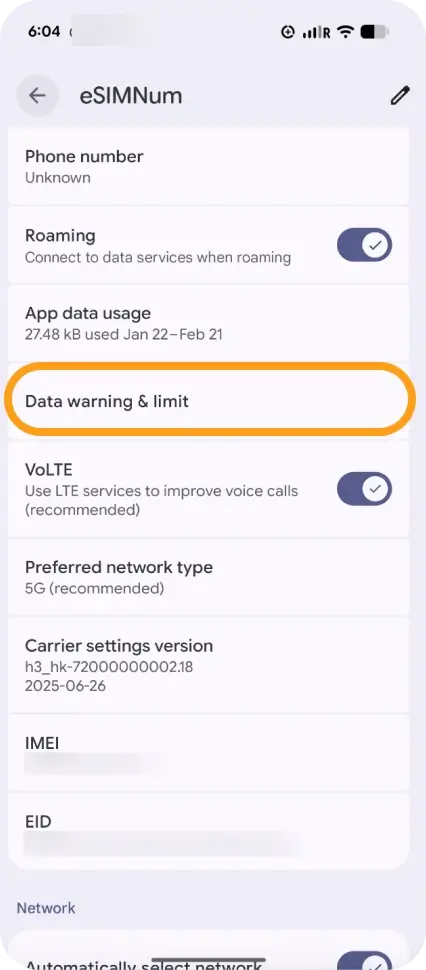
Tap Data warning & limit.
-
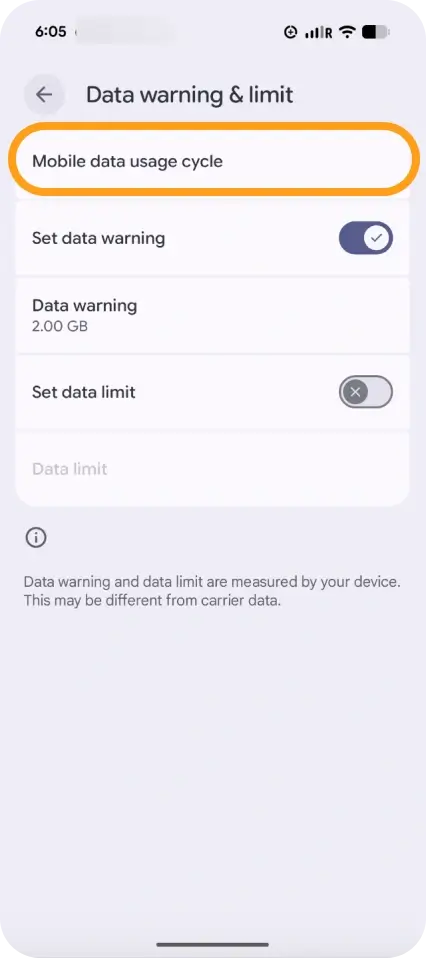
Tap Mobile data usage cycle and set the start date for your billing cycle.
-
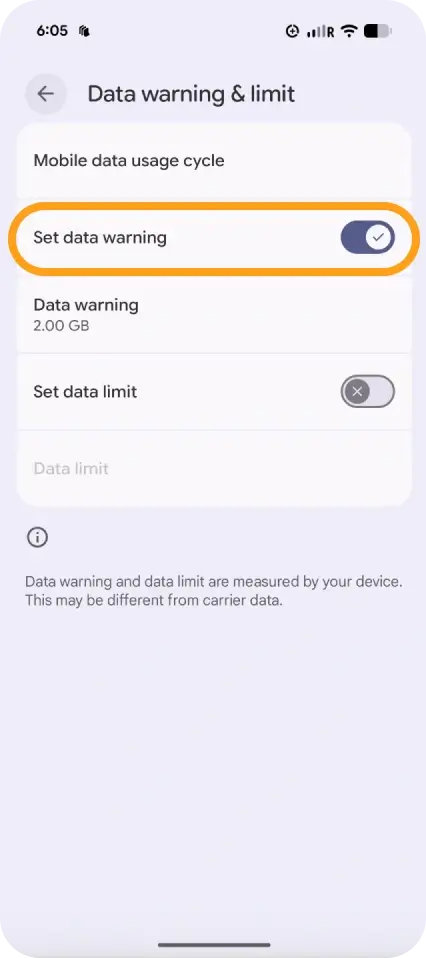
Enable Set data warning and enter your warning level.
-
Enable Set data limit and enter the amount where data should automatically turn off.
If you have any questions or need help configuring these settings, our support team is here to assist you.



