


How do I set a data cap on my iOS device?
iOS does not offer a traditional “data cap” feature like Android, but you can reduce and control your data usage using Apple’s built-in tools. Here are the most effective ways to manage data on your iPhone:
Enable Low Data Mode
Low Data Mode helps reduce cellular data usage by limiting background tasks and automatic updates.
How to enable it:
-
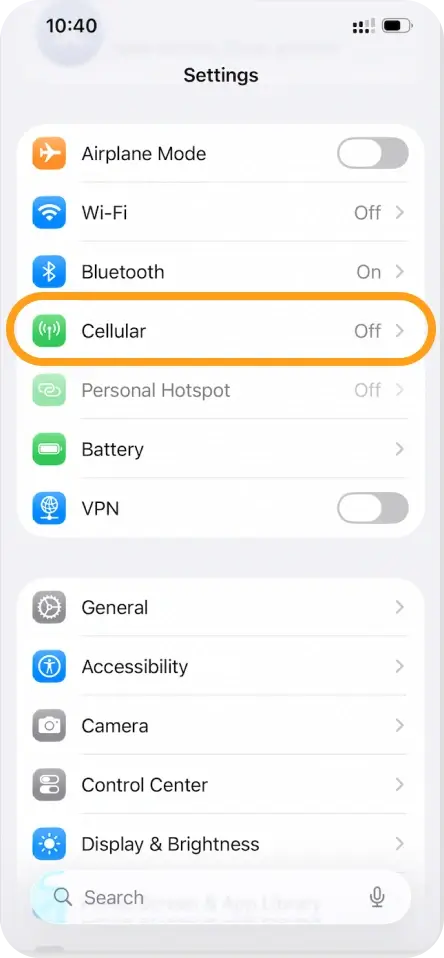
Open Settings

-
Tap Cellular / Mobile Data
-
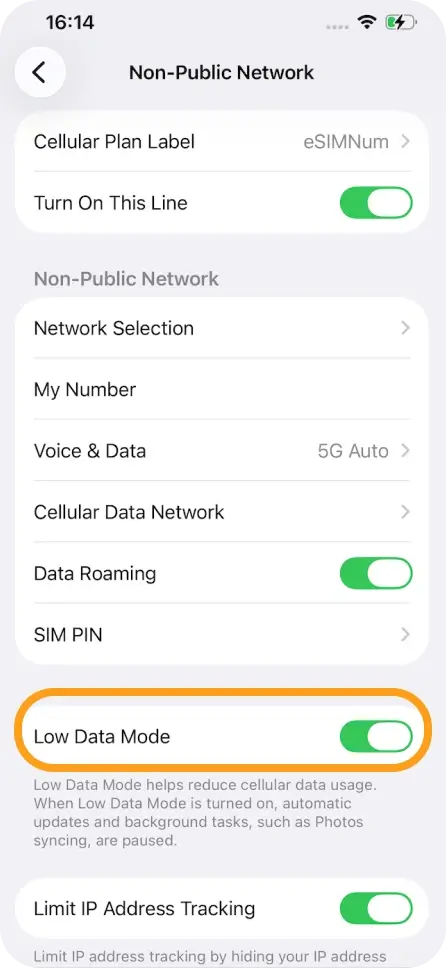
Tap your eSIM plan
-
Tap Data Mode
-
Select Low Data Mode
Turn off Wi-Fi Assist
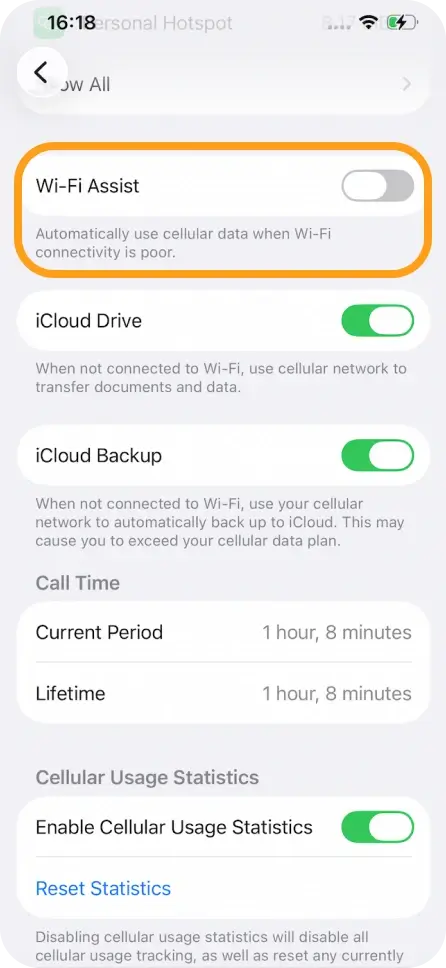
Wi-Fi Assist automatically uses cellular data when Wi-Fi is weak. Turning it off helps avoid unexpected usage.
How to disable it:
-
Go to Settings
-
Tap Cellular / Mobile Data
-
Scroll to the bottom
-
Toggle Wi-Fi Assist OFF
Disable iCloud Backup over mobile data
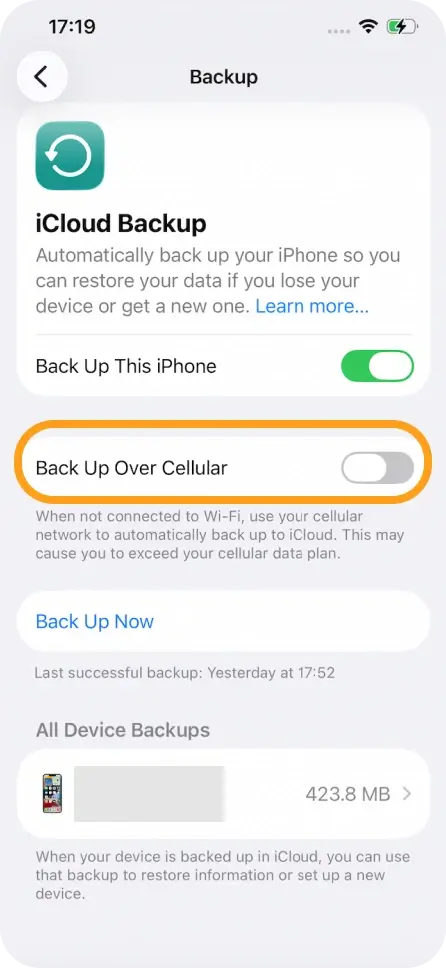
iCloud backups can use a large amount of data. Turning them off for cellular helps keep usage under control.
How to disable it:
-
Open Settings
-
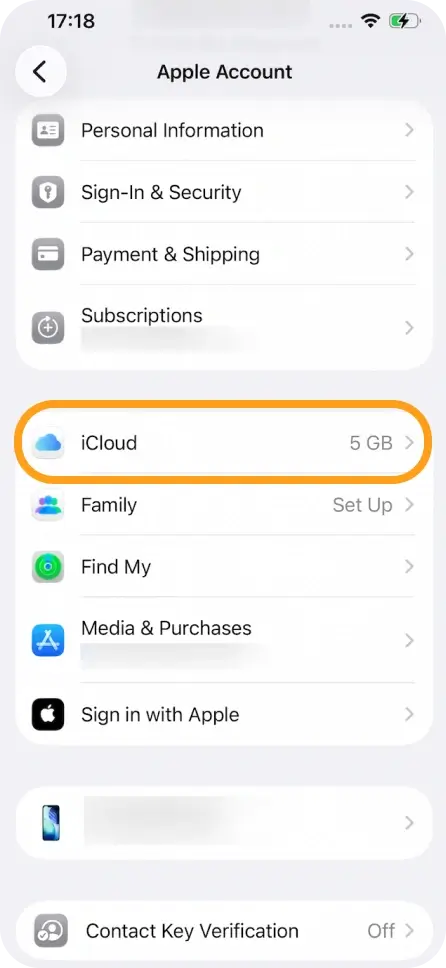
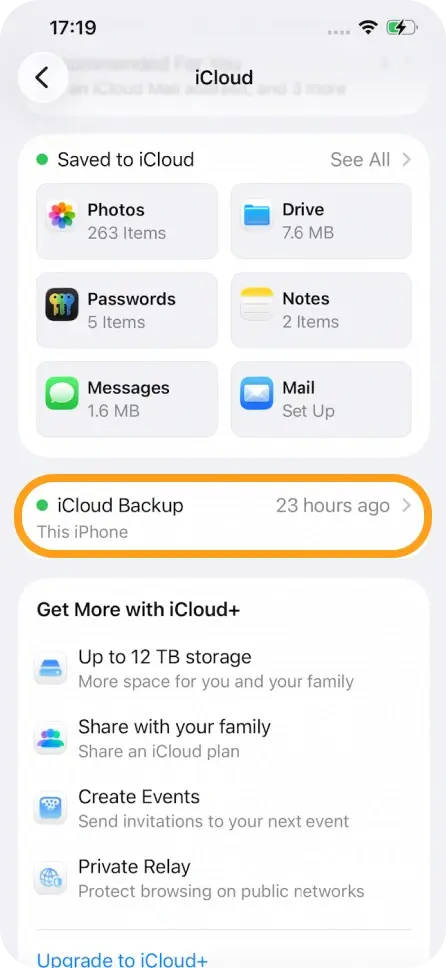
Tap your Apple ID → iCloud
-
Tap iCloud Backup
-
Toggle Back Up Over Mobile Data OFF
If you need help minimizing usage, feel free to contact our support team.



