


How do I activate the eSIM on an iPhone or iPad in Turkey?
Some iPhone and iPad models purchased in Turkey may have eSIM disabled by default due to local device policies. If your device was purchased and first activated on or after June 23, 2020, eSIM should already be enabled automatically during setup, and no additional steps are required.
If your device was purchased before June 23, 2020 and eSIM is not enabled, you may need to follow the steps below. Please note that this procedure requires erasing your device, so ensure you have completed a full backup before proceeding.
Prepare Your Device
- Back up your iPhone or iPad using iCloud or your computer.
- Update your device to the latest version of iOS or iPadOS.
Reset Your Device to Enable eSIM
-
Go to Settings > General > Transfer or Reset.

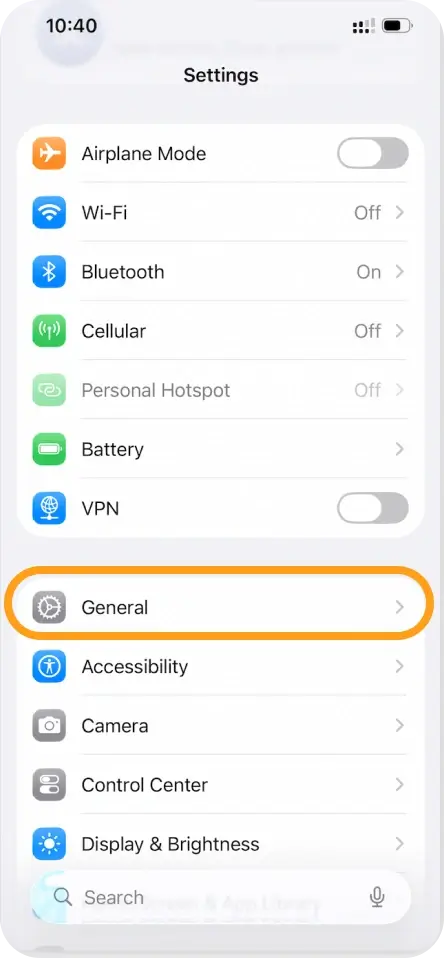
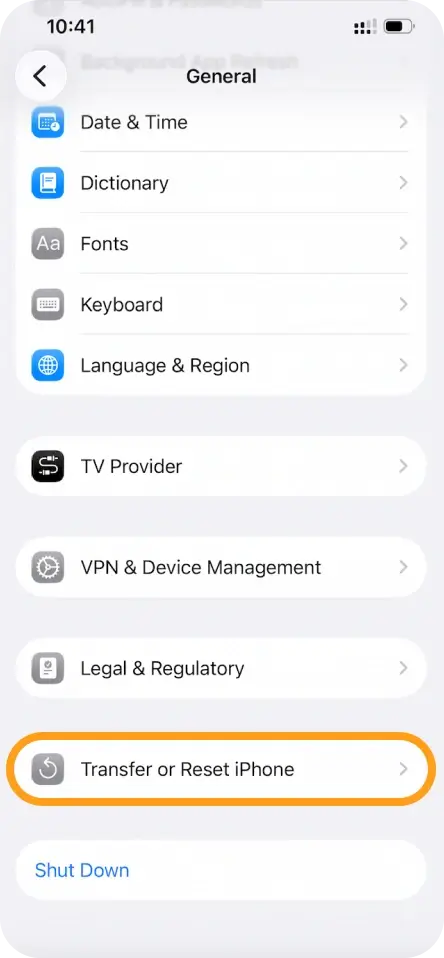
-
Tap Erase All Content and Settings.
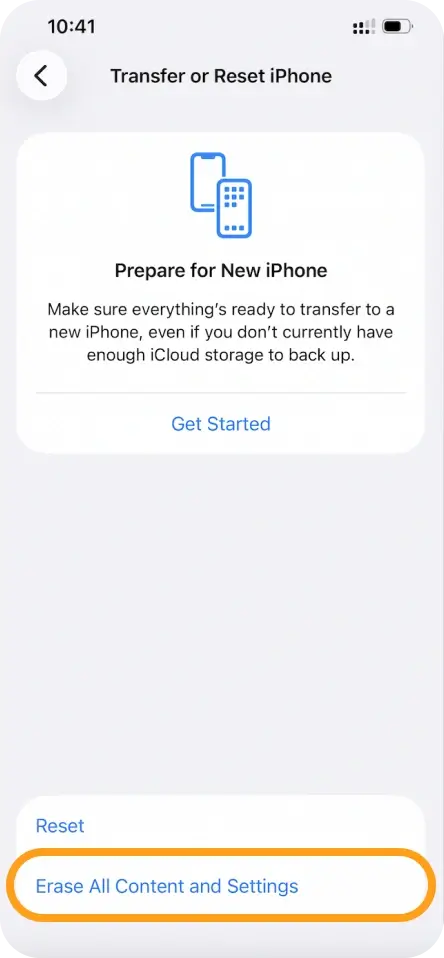
-
Enter your passcode or Apple ID password when prompted and confirm the erase.
-
After the erase is complete, restore your device from your backup.
Once the device is restored, you should now be able to install and activate an eSIM from eSIMNum through the standard setup process.
Important Notice for Turkey According to Turkey’s local regulations, if you use roaming data services for 91 days or more within a 120-day period, your device’s IMEI must be registered with the Central Equipment Identity Register (CEIR) in Turkey. Failure to register may result in service restrictions. For detailed requirements, please refer to the CEIR or your local authorities.
If you have any questions or need assistance with your eSIM activation, the eSIMNum Support Team is here to help.



