


How to activate eSIM on Android?
Before activating your eSIMNum plan, make sure:
- Your device supports eSIM (see What phone devices support eSIM?).
- Your device is network-unlocked.
- You have a stable internet connection (preferably Wi-Fi).
Once your eSIM is installed, follow the steps below to activate it on Android.
Activate eSIMNum via QR Code
-
Open Settings on your Android device.
-
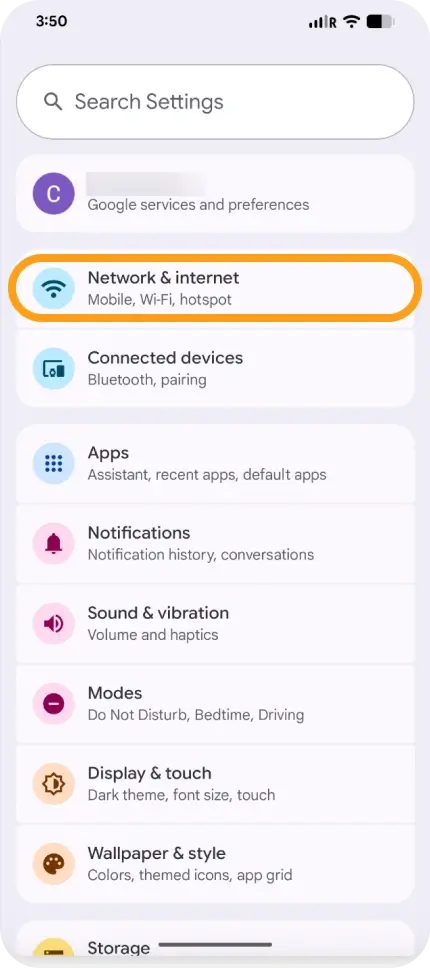
Tap Network & Internet.
-
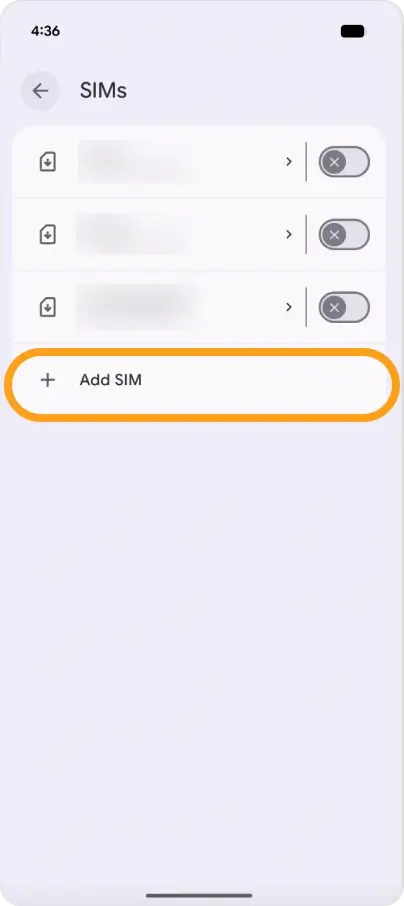
Select SIMs or Add eSIM / Add Mobile Network.
-
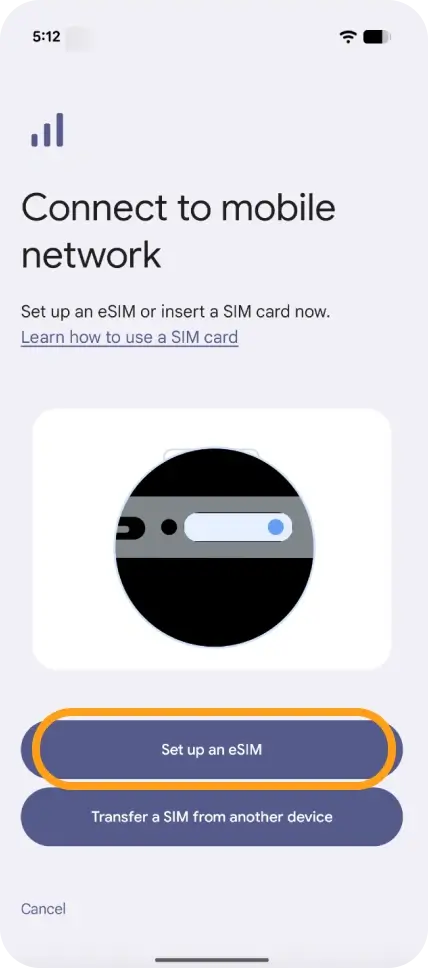
Tap Set up an eSIM.
-
Choose Use QR Code and scan the eSIMNum QR code.
-
Follow the on-screen prompts to complete installation.
-
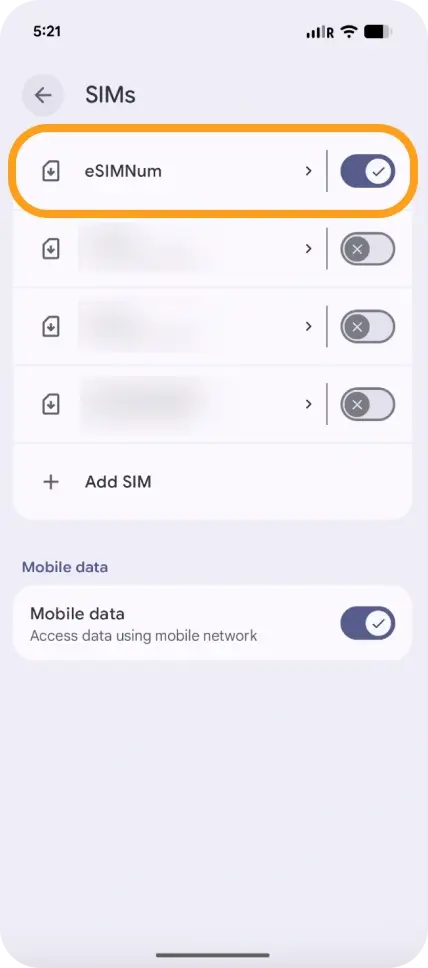
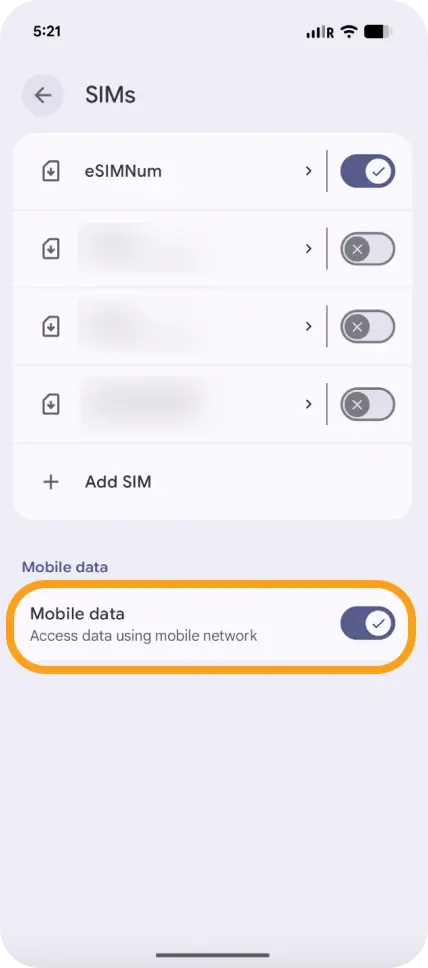
Return to Network & Internet > SIMs and turn ON your eSIMNum line.
-
Enable Mobile Data.
-
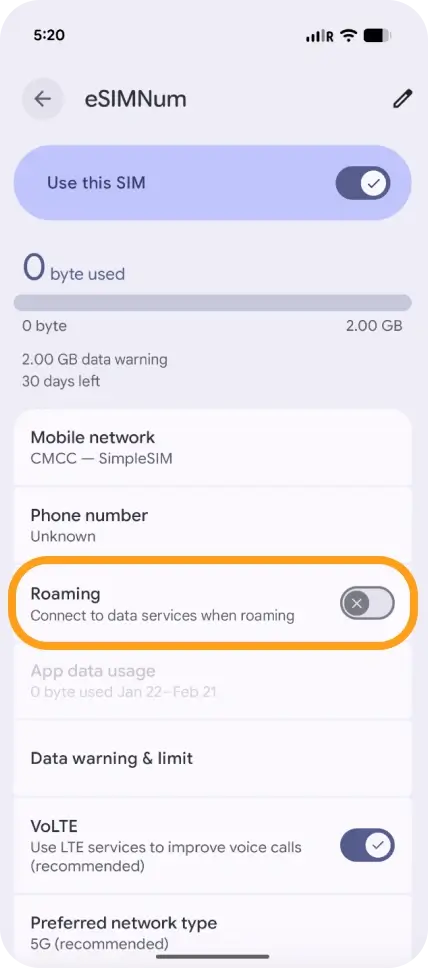
Enable Data Roaming (recommended when traveling).
-
If required, configure the APN using the details provided in your eSIMNum plan.
Activate eSIMNum Manually (SM-DP+ & Activation Code)
If your device does not support QR activation:
-
Open Settings > Network & Internet.
-
Tap Add eSIM or Add Mobile Network.
-
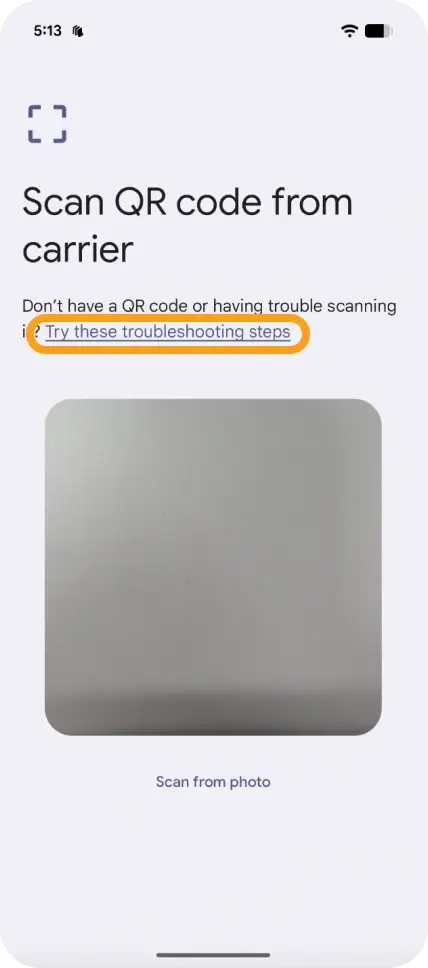
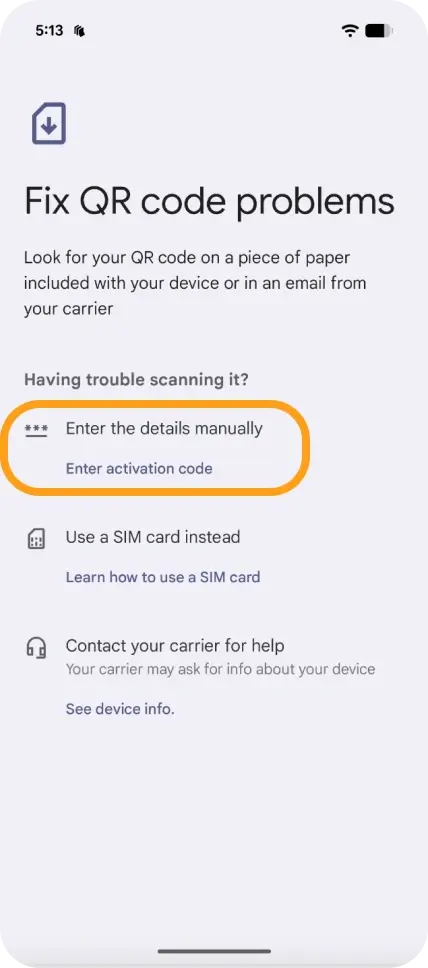
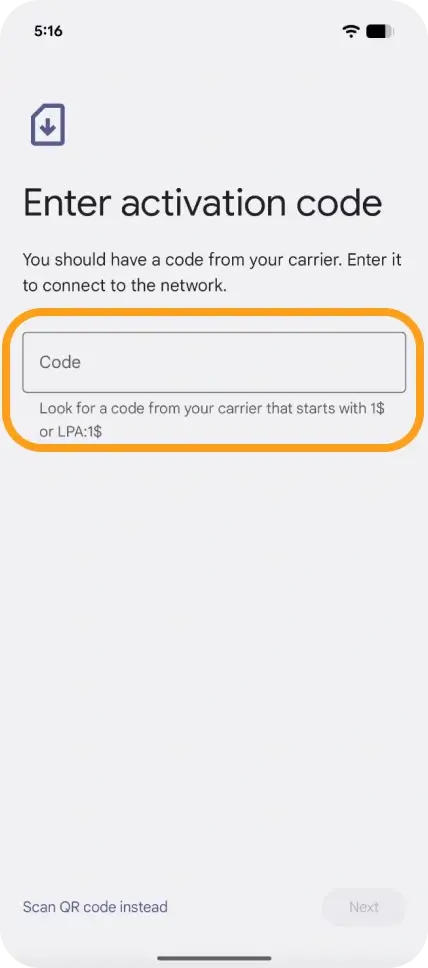
When prompted, choose Enter details manually.
-
Enter the SM-DP+ Address, Activation Code, and Confirmation Code (if provided).
-
After installation, go back to SIMs and turn ON your eSIMNum line.
-
Enable Mobile Data and Data Roaming.
-
Set up your APN if required.
What Happens After Activation?
Once eSIMNum is enabled and selected as your data line, your device should automatically connect to a supported network in your destination.
If the network does not connect immediately, simply toggle Airplane Mode ON and OFF or restart your phone.
If you encounter any issues during setup or activation, please reach out to eSIMNum Support. We’re always here to help.



