How to switch between my primary SIM and eSIM?
You can switch between your primary SIM and your eSIMNum plan directly from your device settings. The steps vary depending on your device model.
How To Switch Between eSIM and SIM On iphone/ iPad
-
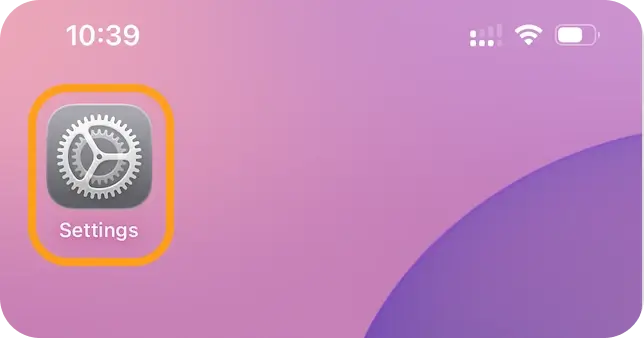
Open Settings. 1Open Settings
-
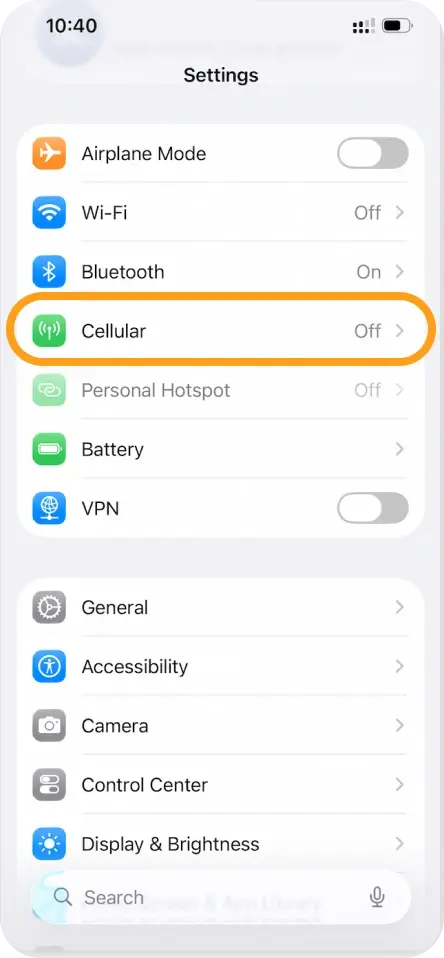
Tap Cellular / Mobile Data.
-
Under Cellular Plans, select the SIM you want to use.
-
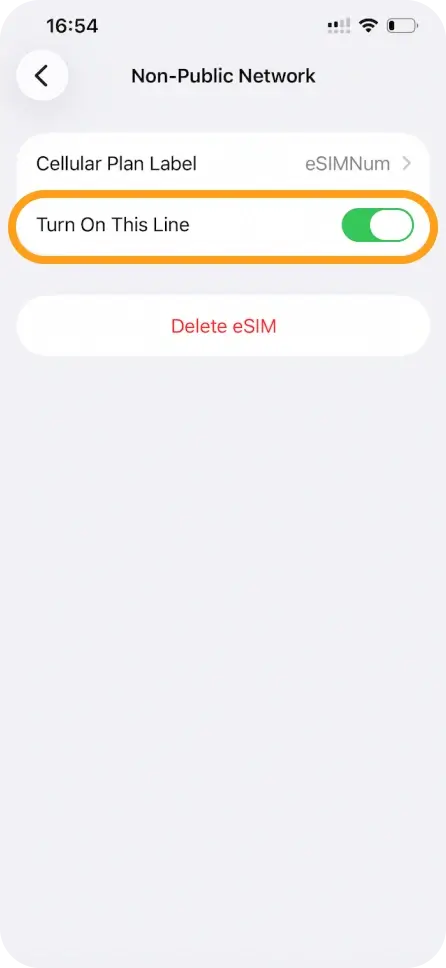
Turn on Turn On This Line for the preferred SIM.
-
If you want to switch mobile data to your eSIMNum plan:
- Tap Cellular Data, then choose your eSIMNum plan.
How To Switch Between eSIM and SIM On Android
(Steps may vary depending on device brand and Android version.)
-
Open Settings.
-
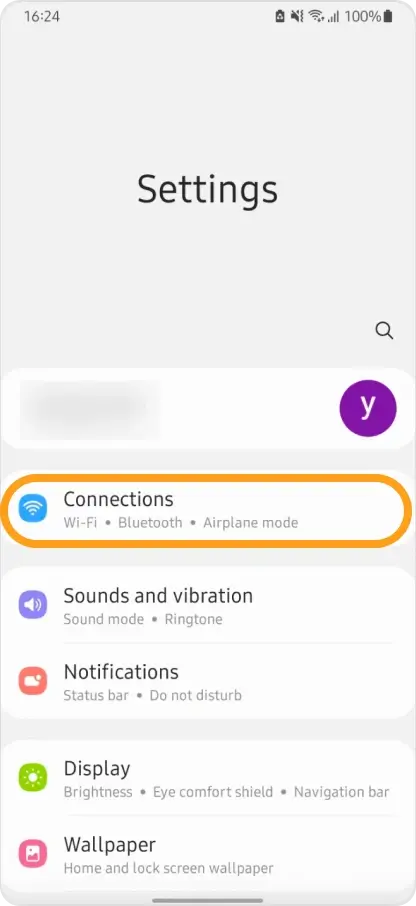
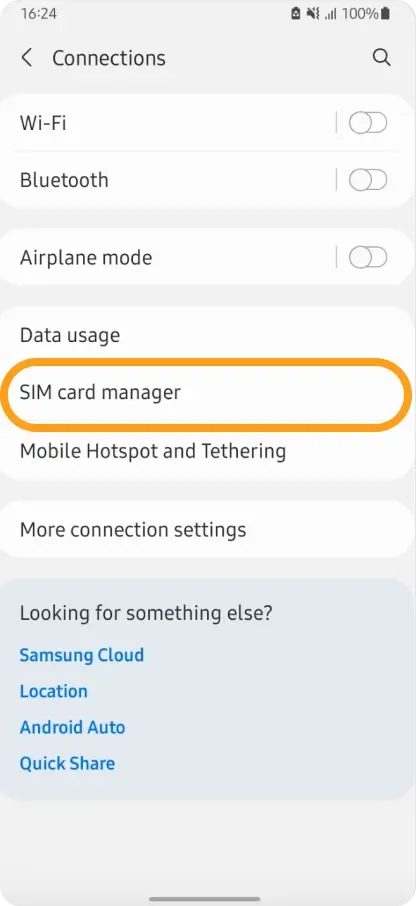
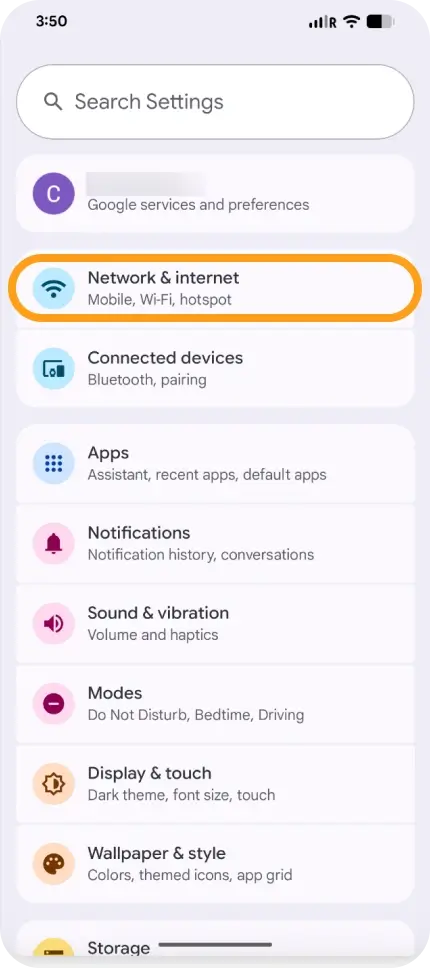
Go to Network & Internet or Connections.
-
Tap SIM Manager or SIM Cards.
-
Select the SIM/eSIM you want to use.
-
For mobile data, choose Preferred SIM for Data and select your eSIMNum plan.
How To Switch Between eSIM and SIM On Google Pixel
-
Open Settings.
-
Tap Network & Internet.
-
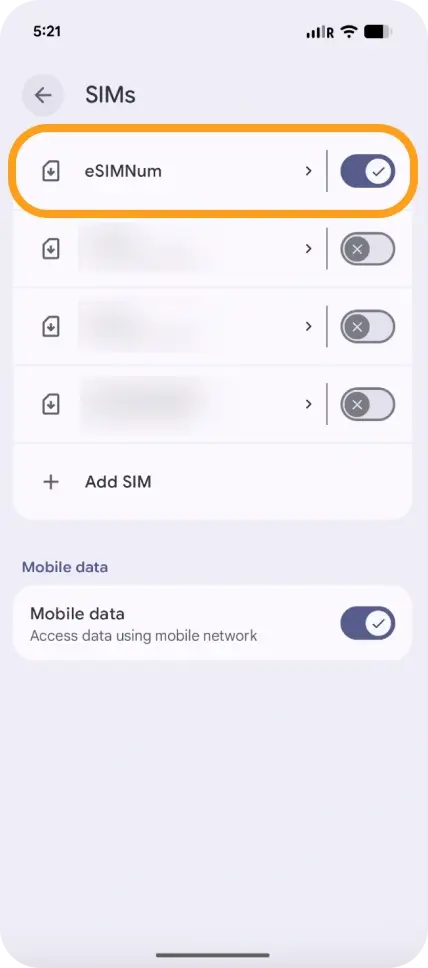
Select SIMs.
-
Toggle Use SIM to enable or disable the primary SIM or your eSIMNum plan.
-
Under Mobile Data, choose the SIM you want to use for data.
Notes
- You can keep both lines active for calls or texts if supported by your device, but only one SIM can provide mobile data at a time.
- If you switch to a different SIM and lose connectivity, switch back to your eSIMNum plan and ensure Data Roaming is enabled (when traveling).
If you need assistance with SIM switching or connectivity, the eSIMNum Support Team is ready to help.