


How to enable Data Roaming for the eSIM to work?
To ensure your eSIMNum data plan works properly, Data Roaming must be enabled on your device. The steps vary depending on the device you are using. Please follow the instructions below.
How To Turn On Data Roaming on iOS (iPhone / iPad)
-
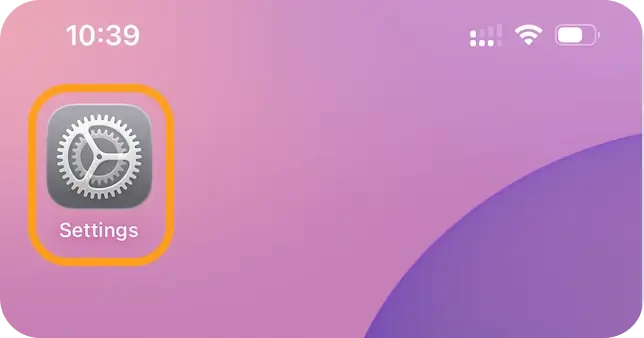
Open Settings.
-
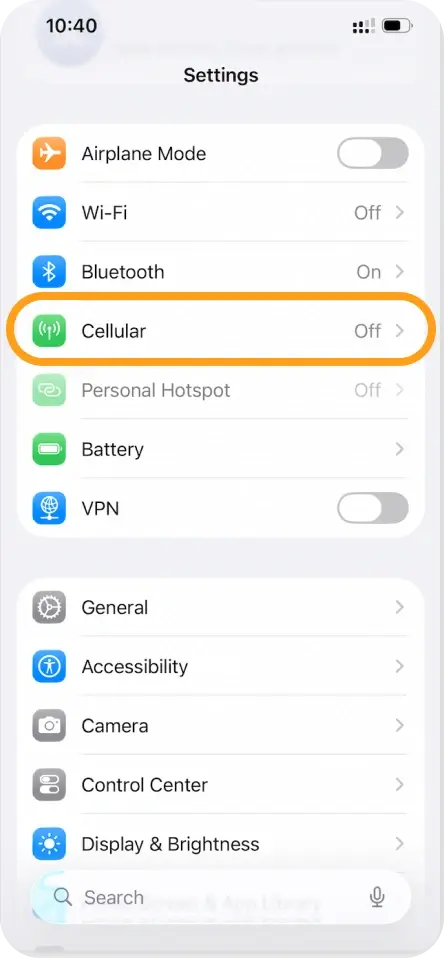
Tap Cellular / Mobile Data.
-
Select your eSIMNum plan from the list of SIMs.
-
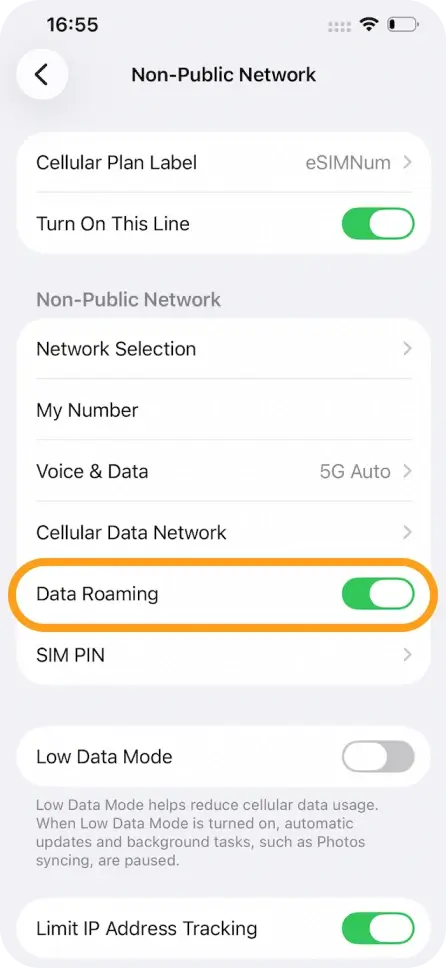
Turn on Data Roaming.
How To Turn On Data Roaming on Android
(Steps may vary slightly depending on device model and Android version.)
-
Open Settings.
-
Tap Connections / Network & Internet.
-
Select Mobile Networks.
-
Tap your eSIM profile (if applicable).
-
Enable Data Roaming.
How To Turn On Data Roaming on Google Pixel
-
Open Settings.
-
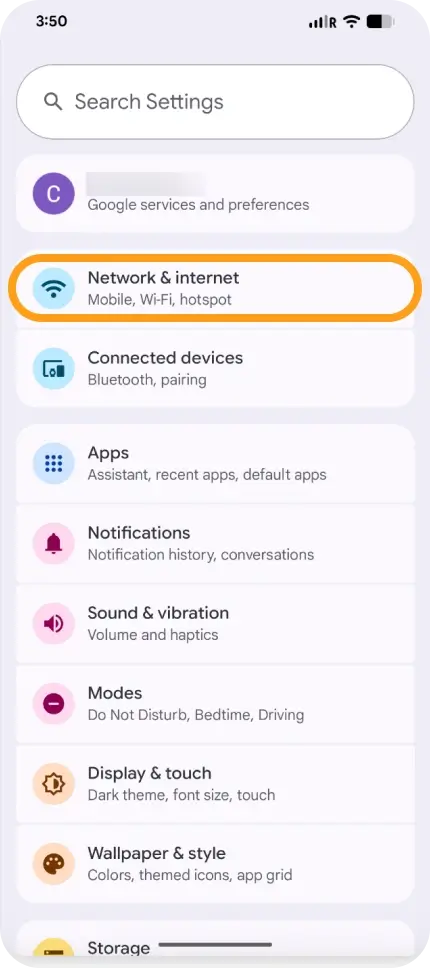
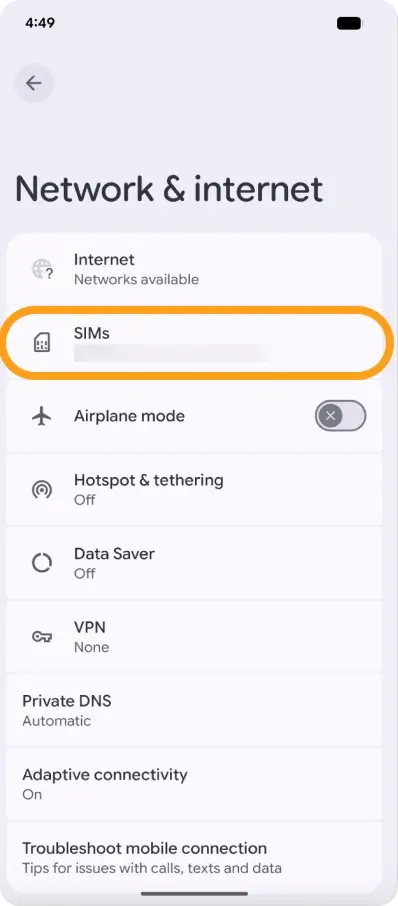
Go to Network & Internet.
-
Select SIMs.
-
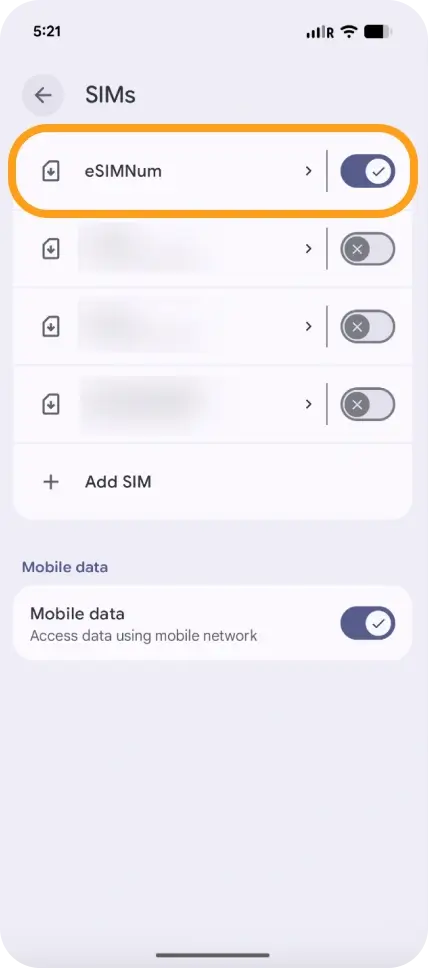
Tap your eSIMNum plan.
-
Turn on Data Roaming.
Important Notes
- Data Roaming must remain enabled while using your eSIMNum plan abroad; otherwise, the eSIM cannot connect to the local network.
- Enabling Data Roaming does not incur extra charges from eSIMNum beyond the plan you purchased.
- If Data Roaming is already enabled but you still cannot connect, try restarting your device or manually selecting a network.
If you need further assistance, please contact the eSIMNum Support Team and we will be happy to help.



