


How do I check if my iPhone is eSIM carrier unlocked?
You can confirm your device status directly from the iPhone settings:
-
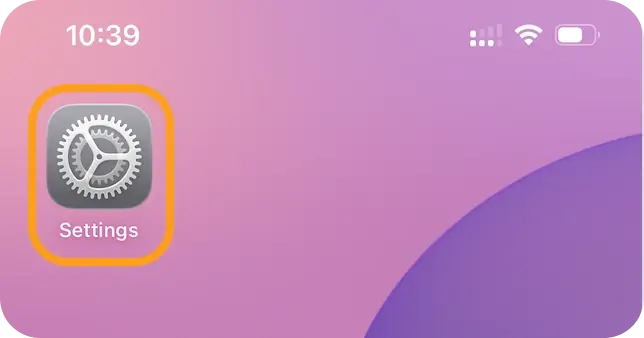
Open Settings
-
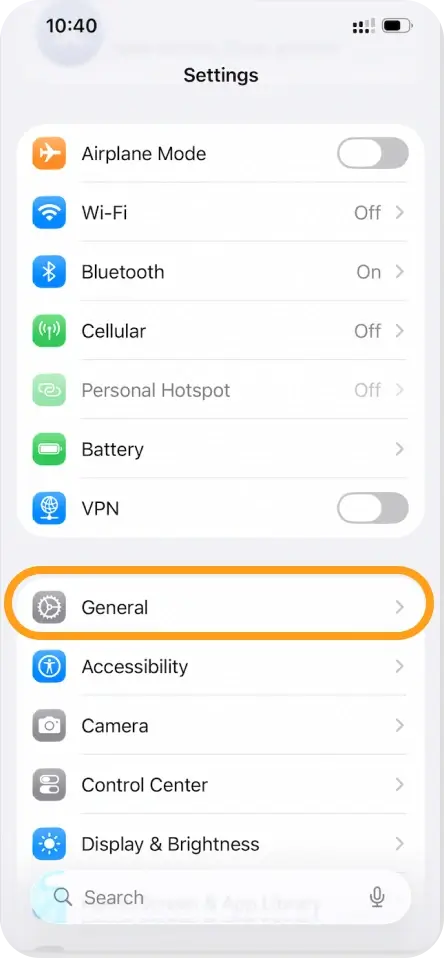
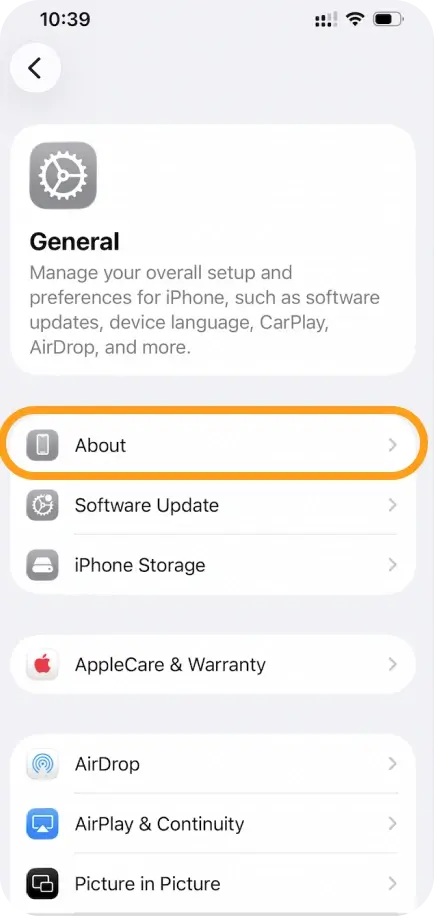
Go to General > About
-
Scroll down to Carrier Lock or Network Provider Lock
- If you see “No SIM restrictions”, your iPhone is unlocked and an eSIM compatible device.
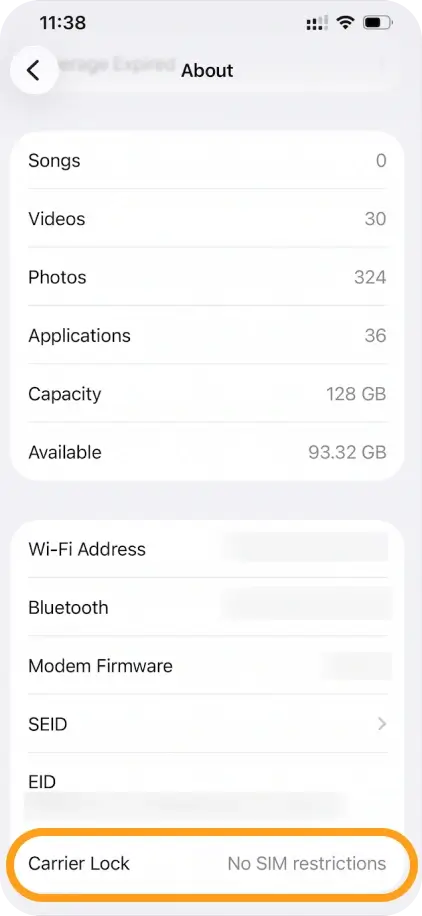
- If you see any message other than this, your iPhone is still locked to a specific carrier.
- If you see “No SIM restrictions”, your iPhone is unlocked and an eSIM compatible device.
Additional signs your device may be locked
- You cannot find the “Add eSIM” option when setting up a new cellular plan.
- When trying to install an eSIM, you see the message: “Cellular plans from this carrier cannot be added.”
What to do if your iPhone is locked
You will need to contact your carrier to request an unlock. Most carriers require:
- Completing the minimum contract period
- Paying off the device installment
- Meeting all account requirements
Once unlocked, you’ll see the “No SIM restrictions” status, and you can install eSIMNum without issues.
If you need help verifying whether your phone is eSIM supported, our support team is always here to assist.



