


Can I delete and reinstall my eSIM? (Only if specific conditions are met)
In general, eSIMNum profiles cannot be reinstalled once deleted, because eSIMs are tied to your device hardware and most QR codes are single-use. We strongly recommend not removing an eSIM you still intend to use.
Why deleting an eSIM can be problematic
- Once removed, attempting to reinstall the same eSIM may fail. You may need to purchase a new eSIM plan to regain mobile connectivity.
- Unlike physical SIM cards, eSIMs cannot be swapped between devices.
Recommended alternative: Temporarily disable your eSIM
If you want to stop using your eSIM without losing it:
On iOS:
-
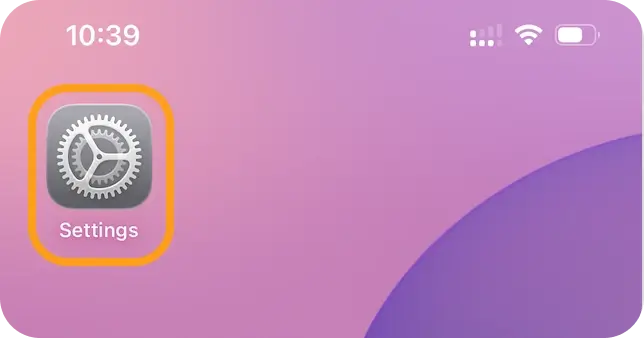
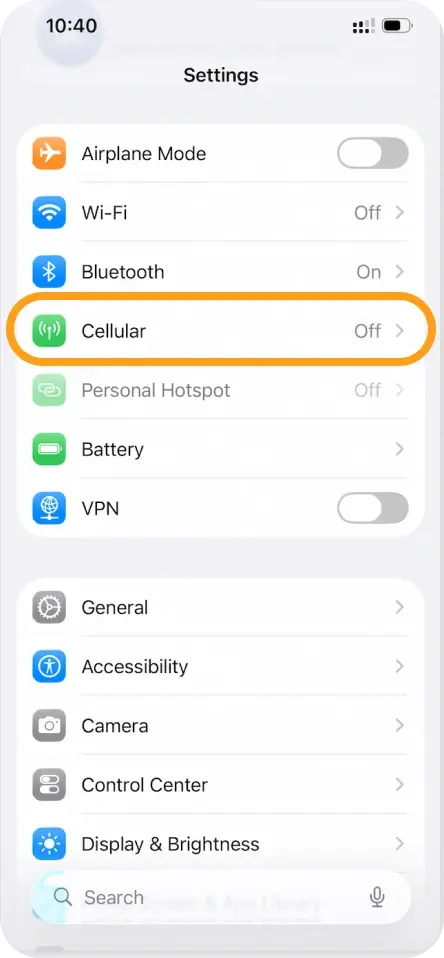
Go to Settings > Cellular > SIMs.
-
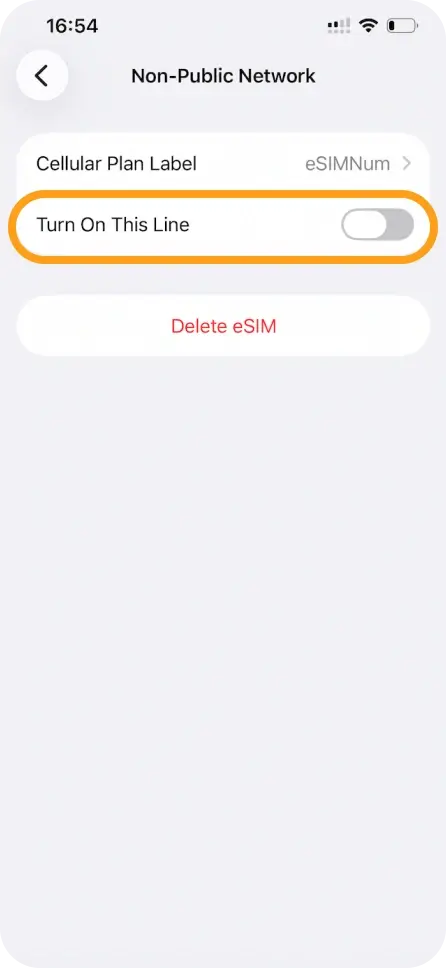
Select the relevant eSIM.
-
Toggle Turn This Line Off.
On Android:
-
Go to Settings > SIM cards & mobile networks > Manage eSIM.
-
Select the relevant eSIM.
-
Choose Disable from the prompt.
⚠️ Temporarily disabling an eSIM pauses its use, but does not extend its validity period or data plan.
Please note that disabling your eSIM does not permanently deactivate it. The eSIM will remain in a dormant state until you choose to reactivate it.
If you experience any issues or have questions about managing your eSIM, our support team is here to assist you. We’re always happy to help.



